
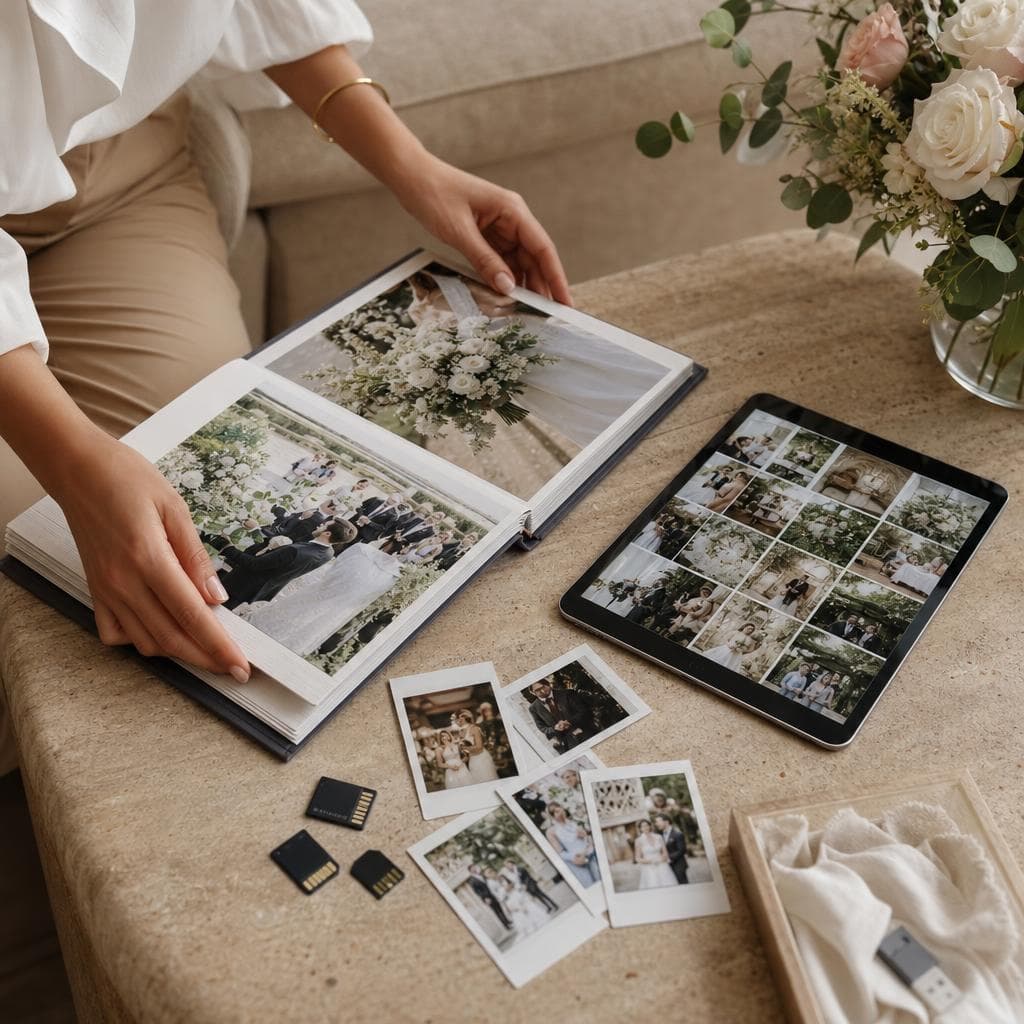
Why create a shared album for wedding photos
Official photos give a controlled vision of the wedding. Yet they don't always show the secretly prepared toast, the children inventing a dance, or the conversations that continue at the back of the garden. A shared album allows you to gather these points of view without asking the couple to collect each file from multiple conversations. Well chosen and well presented, it becomes a space for collecting, discovering and passing on memories. It does not replace the photographer's backups nor careful archiving: it complements them with the spontaneity of the guests.
Another view of your day
Moments the photographer can't cover
Even the most attentive professional cannot be everywhere. They must follow the planned schedule, manage their equipment and respect your contract. The guests, however, are present behind the scenes: at the parents' house, in the car, during a break or at the moment a surprise is being prepared. Their images add details and emotions that you will sometimes discover weeks later.
A shared album brings these perspectives together in one place. You can find the preparations, the ceremony, the cocktail hour, the meal, the dance floor and the next day. The collection tells the story of the wedding with several sensibilities: posed photos, candid shots, short videos and decoration details.
To go further on the complementarity between the two image sources, read photographer and guests' photos on the wedding day.
Simple participation for the family
Sending a photo to a common album is clearer than searching for the right group chat. Guests do not have to identify the person who will receive the file nor compress images to make them pass. The setup should remain optional: some people do not take photos, others prefer not to share their phone.
So that everyone understands the purpose, present the album as a collection of memories, not an obligation to produce content. One sentence on the digital invitation and a reminder on the day suffice. You can write: “If you take a photo you like, add it to our album. Share only the images you are comfortable sharing.”
The practical benefits of a shared album
Avoiding file dispersion
Without a common space, photos arrive by messaging app, email, temporary link and USB stick. Files are sometimes compressed, lost in a thread or sent to a single person who doesn't think to forward them. The album offers a meeting point. You save time when sorting and you can thank contributors more easily.
This does not mean you should entrust your entire archive to a single service. Check size limits, compression, download rights, retention period and deletion rules. An offer that seems generous may have a trial period or limited capacity. Export important files and keep an independent copy.
Discovering images gradually
The album can remain open for a few days after reception. Guests then find their phone, select the photos and add the images they really want to share. This timing avoids asking the couple the next morning and leaves room for memories sent by people who were not available during the celebration.
Announce a reasonable collection date. A reminder after two or three days, then a second within the week, is often sufficient. Do not extend access indefinitely without checking the service conditions.
Preserving quality and context
A well-configured album preserves useful information: date, file name or comment added by the guest. These details make sorting easier and help you identify a moment. However, check whether the tool modifies resolution or format. For photos you care about, ask for the original version or download the file before any transformation.
Building a truly pleasant album
Choosing the right access rights
Before sharing the link, decide who can view, add, download and delete. A deposit-only access is useful if you want to prevent someone from accidentally erasing the collection. A gallery visible to guests encourages exchanges, but it can also show faces to people you hardly know.
Start with the most cautious privacy level, then open up if that fits your guests. If the tool offers a password, a non-indexed link or moderation before publication, use those options. Permissions are not a technical detail: they define who controls your memories.
Organize without imposing too many categories
Three to six sections are enough: preparations, ceremony, cocktail, dinner, dancing and next day. Too many folders discourage contributors. You can sort after collection rather than ask everyone to choose a category at the time of upload.
Keep videos separate if their weight slows down access to photos. For a printed album, then select the sharp images and the sequences that add real detail. Do not confuse quantity with richness: twenty different photos tell the evening better than two hundred duplicates.
Provide a solution for the less connected
Someone may have a weak network, an old phone or not want to scan a code. Ask a witness to collect some images by other means, with the owners' consent. Paper and oral messages still have their usefulness at a wedding where several generations meet.
To learn how to make the collection space known, consult how to collect all guests' photos. If you use a QR code, explain how it works in QR code and sharing wedding photos.
Privacy and consent
A private album does not automatically authorize all uses. A person may agree to show a photo to the newlyweds but refuse that it be shared on a social network. Ask for permission before publishing, especially when a child is recognizable or a scene is intimate. Prepare a public selection distinct from the archive reserved for close family and friends.
Inform guests of the album's purpose, the person who manages it and how to request removal of an image. If a photo bothers someone, remove it quickly. Also avoid adding full names, addresses or information that allows deducing guests' movements.
For each service, read the retention policy: an album may be deleted after a given period, or remain accessible as long as the link circulates. Download your files before a possible closure and do not promise guests unlimited or permanent storage that the service does not guarantee.
What to do after the wedding?
Start by backing up, then sort. Keep an original version on local media and a second copy in another location. Identify unreadable files, screenshots and duplicates before selecting the images that will join your final album. For a balanced story, mix professional photos and those from guests, indicating their origin if that matters to you.
You can then close uploads, keep limited access or create a thank-you gallery with the authorized photos. Organize your memories after the wedding offers a method to move from collection to durable archive.
The DreamWeds blog gathers other organizational tips. And if your photographer is not yet booked, the directory DreamWeds providers can help you compare professionals and check included services, without confusing a shared gallery with contractual delivery.
Frequently asked questions
Does a shared album replace the photographer?
No. Guests photograph according to their own desires and do not cover the whole day with the same regularity. The photographer prepares a service, equipment and a delivery defined with you. The shared album adds spontaneous moments and complementary viewpoints.
Who should be able to view the album?
That depends on your goal. A space reserved for the couple better protects privacy, while a gallery accessible to guests facilitates exchanges. In both cases, check download and deletion rights, then only share the link with concerned people.
What if a guest asks to delete a photo?
Remove it quickly from the album and from your public selections, then check copies already downloaded or shared by you. Inform relatives who manage the gallery if necessary. Respecting this request takes precedence over your aesthetic preference.
How long should the album remain open?
Generally leave it open for a few days or a few weeks, the time for everyone to sort their phone, then follow the period set by the service. Before closing access, download the originals and create two backups. The duration depends on the tool: no unlimited retention should be assumed.
DreamWeds
Find your dream vendors
Photographers, caterers, venues and much more — compare up to 4 vendors side by side.
Discover vendorsArticles on the same topic
Wedding hashtag: how to choose a good one?
Original, easy to remember and unique: the method to create a wedding hashtag that your guests will actually use.
Wedding guest attire: what to wear according to the dress code?
Understanding common dress codes, adapting to the venue and season, and avoiding classic faux pas as a guest.

Thank-yous after the wedding: when and how to thank your guests?
Message, card, photo or personalized gesture: prepare your thank-yous without waiting several months.